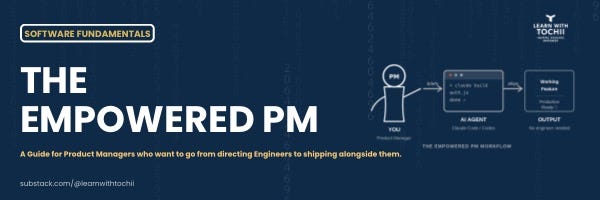
There is a version of a product manager that most organisations are still stuck with.
They write the spec. They hand it to engineering. They wait. They review. They send it back. They wait again.
The feedback loop is slow by design. The PM understands the problem. The engineer understands the technology. The distance between those two things is measured in sprint cycles.
That model is not wrong. It worked well for a long time.
But it is no longer the only option.
There is a new version of a PM emerging. One who can open a terminal, brief an AI coding agent, review what it produced, and ship a working prototype before the next standup. One who can look at a codebase and understand what is actually happening, not just what the ticket says. One who closes the gap between problem and solution without waiting for an intermediary.
This article is about how to become that PM.
Not by learning to code like a software engineer. But by understanding software well enough to work with AI tools at a level that changes what you can build, how fast you can build it, and how much influence you have over the final result.
What changed and why it matters now
Two things happened almost simultaneously.
First, AI coding tools became genuinely capable. Claude Code, GitHub Copilot, and OpenAI Codex can now produce working, production-quality code from a well-structured prompt. They can read an entire codebase, understand its architecture, and extend it correctly. This is not autocomplete. This is a collaborator.
Second, the barrier to using these tools effectively turned out to be understanding, not syntax.
A PM who understands what a REST API is, how a database query works, and what authentication actually does can give Claude Code or Codex a prompt that produces something real. A PM who does not understand those things gets a prototype that looks right but breaks under any real condition.
The tools are ready. The question is whether you are.
Part One: The fundamentals every PM needs
Before we get to the tools, we need to establish the foundation. These are not technical concepts you need to master. They are mental models you need to hold. The difference matters.
Mastering something means being able to implement it from scratch. Holding a mental model means understanding it well enough to reason about it, ask good questions, and review someone else’s work. For a PM building with AI, the latter is what you need.
Fundamental 1: How the web works
Every product you manage lives on the web. Understanding how the web works is not optional background knowledge. It is the operating system for everything else.
The internet is a client and a server having a conversation.
The client, your browser, or your app sends a request. The server receives it, does something, and sends back a response. That is it. That is the internet.
The language of this conversation is HTTP. Every request has a method that describes what is being asked. GET means fetch me something. POST means to create something. PUT means update something. DELETE means remove it. These four verbs describe almost everything your product does.
Every request also has a URL that identifies what is being acted on, headers that carry context like who is asking and what format they expect, and sometimes a body that carries data.
Why this matters for PMs with AI tools.
When you brief Claude Code to build an API endpoint, you are describing one side of this conversation. If you understand what a POST request to create a new user should look like, what data it needs in the body, what it should return on success, and what it should return on failure, you can write a prompt that produces something real. If you do not, you get a function with no error handling, no validation, and no thought for what happens when the input is wrong.
Prompt without understanding: Build an API that creates a new user.
Prompt with understanding: Build a POST endpoint at /api/users that accepts a JSON body with email, password, and name. Validate that the email is a valid format and that the password is at least 8 characters. If validation fails, return a 400 with a clear error message for each field. If the email already exists, return a 409. If successful, hash the password, store the user, and return a 201 with the user object excluding the password hash.
Same task. The second prompt builds something you can actually ship.
Fundamental 2: How databases work
Your product almost certainly has a database. It is where everything your users do gets stored.
A database is organised into tables. Each table holds one type of thing: users, orders, products, or messages. Each row in the table is one instance of that thing. Each column is an attribute: name, email, and created date.
When your product does something, it is almost always reading from or writing to one of these tables. A user logs in: the database is read to check their credentials. A user places an order: a new row is written to the orders table. A user updates their profile: an existing row is updated.
Three concepts that matter most for PMs.
Relationships. Tables relate to each other. A user has many orders. An order has many items. Understanding these relationships helps you specify features correctly. When you ask Claude Code to build an order summary page, you need to know that it has to join the orders table with the items table and the products table to get everything it needs.
Queries. A query is a question you ask the database. Give me all orders placed by this user in the last 30 days. Give me the top 10 products by revenue this month. Understanding that complex views and dashboards are just queries helps you frame what you are asking AI to build.
Performance. Some queries are fast. Some are slow. The difference usually comes down to whether the right indexes exist and whether the query is written efficiently. When you ask Claude Code to build a search feature, knowing to ask about indexes and query performance is the difference between something that works in testing and something that falls over when 10,000 users use it at once.
Fundamental 3: How APIs work
We covered HTTP above. APIs are the layer built on top of HTTP.
An API is a defined set of endpoints that your product exposes to the world, or to other parts of itself. Each endpoint does one thing. GET /users returns a list of users. POST /orders creates a new order. DELETE /products/:id removes a product.
A REST API uses HTTP methods and URLs to organize these endpoints in a consistent, predictable way. JSON is the format data travels in: key-value pairs, clean and readable.
Why PMs need to understand this deeply.
Every feature you spec that involves data moving between systems, which is almost every feature, involves an API. When you understand the shape of an API, you can write much better feature specs, catch integration issues before they reach engineering, and build prototypes that talk to real data rather than mocked responses.
When you brief Claude Code or Codex to extend an API, understanding the existing endpoint structure lets you ask for something consistent with what already exists. Inconsistent APIs are one of the most common causes of developer frustration and user-facing bugs. Your understanding prevents them.
Fundamental 4: How authentication and authorization work
Authentication answers: Who are you?
Authorization answers: What are you allowed to do?
They are different things, and they are both your responsibility as a PM to specify correctly.
Authentication is the login system. The user proves who they are, usually with a password or a third-party provider like Google. If they prove it correctly, the system generates a token, usually a JWT, that the user sends with every subsequent request. The server checks the token to confirm the user is who they say they are.
Authorization is the permissions system. Even once we know who the user is, we need to decide what they can access. A standard user cannot access admin features. A team member cannot see another team’s data. An API key for a read-only integration cannot write data.
Why this matters for PMs.
Almost every security incident in a web product traces back to a misconfigured authentication or authorization layer. When you brief Claude Code to build a feature, specifying the auth requirements explicitly is not an engineering concern that you can leave out of the prompt. It is a product decision that determines who can access what. Get it wrong, and you have a data breach. Get it right, and you have a product that your users can trust.
Fundamental 5: How state management works
State is what your application remembers at any given moment.
There are two kinds of states that matter for PMs.
Frontend state. What the user interface is currently showing. Is the modal open or closed? What items are in the cart? What step of the onboarding flow are we on? This state lives in the browser and changes as the user interacts.
Backend state. What is stored in the database? The user’s account details. Their order history. Their preferences. This state persists between sessions.
The most common class of bugs in web products is state bugs. Something that should update does not. Something that should persist is lost. Something that should be reset keeps its old value.
When you spec a feature, being explicit about state is one of the most valuable things you can do. What happens when the user refreshes the page mid-flow? What happens when they open the same feature in two tabs? What happens when a background process updates the data while they are looking at it? These are not engineering edge cases. They are product decisions.
Fundamental 6: How error handling works
Software fails. The question is not whether errors will happen. The question is what the product does when they do.
Every API call can fail. Every database query can return nothing. Every user input can be wrong. Every third-party service can go down.
A product built without error handling looks fine in a demo and falls apart in production. A product built with error handling degrades gracefully, tells users what happened, and recovers where possible.
For PMs briefing AI tools, error handling is not something you leave to the engineer or the AI to figure out. It is something you specify explicitly.
What should the user see if the payment fails. What should happen if the API times out. What should the system do if the file upload is too large. What should the message be if the form is submitted with invalid data.
Claude Code will implement exactly what you ask for. If you do not ask for error handling, it will not add it. If you specify every failure case, you will get a product that handles them.
Fundamental 7: How frontend and backend connect
Most products have two sides.
The frontend is what the user sees and interacts with. It runs in the browser. It is built in HTML, CSS, and JavaScript, or a framework like React, Vue, or Next.js that generates these.
The backend is where the logic and data live. It runs on a server. It handles the database, the business rules, and the integrations with external services.
They communicate via API. The frontend makes requests. The backend responds. This is the conversation we described at the start.
Why PMs need to hold this model.
When you brief Claude Code to build a feature, you often need to specify both sides. The form the user fills in is frontend. The endpoint that receives the data and writes it to the database is the backend. The validation logic that runs on the server is backend. The error message that appears when validation fails is frontend but driven by the backend response.
When you can hold both sides in your head simultaneously, your prompts produce features that actually connect. When you cannot, you get a frontend that does not match the backend’s expectations and a debugging session that takes longer than the original build.
Part Two: The tools and how to use them
With the fundamentals in place, the tools become genuinely powerful. Here is how each one works and where each one fits in a PM’s workflow.
Claude Code
Claude Code is Anthropic’s command-line agent. It runs in your terminal, reads your actual files, understands your codebase structure, and executes commands. It is not a chatbot with a code window. It is an agent that takes action.
What makes it different from other tools?
Claude Code operates with full context. It does not just see the function you paste in. It can read your entire project. It knows how your files relate to each other, how your API is structured, and what patterns your codebase follows. When you ask it to add a feature, it adds it in a way that is consistent with everything else. This is the difference between code that fits and code that you have to rewrite to integrate.
How PMs should use it.
Prototyping. When you need to validate a product decision before writing a full spec, Claude Code can build a working prototype in minutes. Not a Figma mock. A clickable, working feature with real data flows. This changes how you validate ideas and reduces the cost of being wrong.
Reviewing implementations. Ask Claude Code to explain what a piece of code does. Ask it whether the implementation handles the edge cases you specified. Ask it what would happen if a particular input were wrong. This is not a code review in the engineering sense. It is a product review using engineering tools.
Building internal tools. Many of the tools PMs need most, dashboards, data exports, admin panels, and internal reporting, are low priority for engineering because they are internal. Claude Code can build these end-to-end. You spec, it builds, you ship. Engineering’s time is protected for the product.
Debugging product behavior. When something is not working the way you specified, Claude Code can trace through the code and tell you why. You bring the context of what you intended. It brings the ability to read what was actually implemented. Together, you find the gap.
OpenAI Codex
Codex is OpenAI’s code-focused model, now integrated into ChatGPT and available through the API. It is particularly strong at generating code across many languages and explaining existing code in plain English.
Where Codex has an edge.
Codex is excellent at translation tasks. You have a piece of code, and you want to understand it. You have a function written in Python, and you need it in TypeScript. You have a SQL query, and you want to know what it does in plain language. These are tasks where Codex is fast and reliable.
How PMs should use it.
Reading existing code. Before you write a feature spec, reading the relevant code and understanding what already exists changes the quality of what you ask for. Codex can walk you through a function, explain a database schema, or describe what an API endpoint currently does. You stop speccing features that conflict with existing architecture.
Writing technical acceptance criteria. Once you understand what the code does, you can write acceptance criteria that are technically grounded. Not just the user sees a confirmation message, but the API returns a 201, the new record is written to the orders table with a status of pending, and the confirmation email job is enqueued within 5 seconds.
Technical feasibility sense-checking. Before you commit to a roadmap item, you can use Codex to explore whether your intended approach is technically straightforward or whether it involves significant complexity. This gives you better estimates and fewer surprises.
GitHub Copilot
Copilot lives inside your code editor. It suggests completions as you type, helps you write boilerplate, and understands the context of the file you are in.
For PMs who are learning to write code or who occasionally write scripts, Copilot removes the friction of getting started. You type a comment describing what you want, and Copilot drafts the implementation. You review, accept, or modify.
It is not the right tool for building full features from scratch. It is the right tool for the moments when you are inside a file and need to extend something without breaking anything.
Cursor
Cursor is a code editor built from the ground up for AI-assisted development. It is based on VS Code, so everything you know about VS Code applies. The difference is that AI is built into the core of the editing experience, not added as a plugin.
For PMs who want to go deeper, Cursor is the environment that makes the experience feel most natural. You can highlight a section of code and ask what this does. You can open a chat panel and describe a change across multiple files. You can ask it to find all the places where a particular logic is implemented and update them consistently.
The learning curve is low if you are already comfortable with VS Code. The leverage is high if you have the fundamentals to direct it well.
Part Three: How an empowered PM actually works
Theory is useful. Workflow is what changes how you spend your time. Here is what a typical day looks like for a PM who has internalized the fundamentals and knows how to use these tools.
Before engineering starts: validation with real code
The most expensive mistake in product development is building the wrong thing.
The traditional way to validate before building is user research, prototypes in Figma, and stakeholder reviews. These are still valuable. But they test how something looks and whether the concept resonates. They do not test whether the technical approach is sound.
An empowered PM adds a step. Before engineering begins, they use Claude Code to build a minimal working version of the core interaction. Not the full feature. Just the data flow. Does the API call work? Does the database return the right shape of data? Does the calculation produce the right result?
This takes hours, not days. And it surfaces the technical edge cases that would have cost a sprint to discover mid-build.
Writing specs that engineering actually wants to receive
There is a version of a product spec that engineers dread. Vague user stories with no technical context. Acceptance criteria that describe the UI but not the data. Edge cases are left as implied rather than explicit.
There is a version that engineers love. Clear data contracts. Explicit error states. Specified API shapes. Realistic edge cases. Not because the PM wrote code, but because they understood what the code needed to do.
With the fundamentals and AI tools, a PM can produce this second kind of spec. You use Codex to read the existing API and understand what endpoints already exist. You use Claude Code to draft the new endpoint’s expected shape. You write the acceptance criteria around the actual technical behavior, not just the visible outcome.
Engineering spends less time asking clarifying questions. The build is faster. The result is closer to what you intended.
Staying close to the build without micromanaging
One of the most common tensions in product development is the PM who wants to stay close but does not have the tools to engage technically, so they micromanage the process instead.
Daily standups as a proxy for progress. Constant pings asking for updates. Reviews that cannot give specific feedback, so they give vague feedback instead.
An empowered PM engages differently. They pull the branch and open it in Cursor. They ask Claude Code to explain what was built. They check whether the implementation matches the spec by reviewing the actual code against their acceptance criteria. They give specific, technical feedback when something is off.
This changes the dynamic. You are no longer a stakeholder waiting for a demo. You are a collaborator who can engage with the work at the level it actually lives.
Shipping internal tools without engineering tickets
There is a category of tools every product team needs and never prioritizes.
The dashboard that shows the metrics you actually care about. The admin panel that lets you manually adjust a record without going to engineering. The data export that customer success has been requesting for six months. The script that migrates a set of user accounts when a client onboards.
An empowered PM builds these themselves.
Not from scratch. With Claude Code.
You describe what you need. You understand the database schema well enough to point the agent at the right tables. You understand the API well enough to know which endpoints to call. You review the output and test it against the edge cases you know matter.
Engineering’s time is protected for the product. Your team gets the tools they need. The backlog gets shorter.
The system prompt that makes everything work
Every AI coding session benefits from a strong brief. Here is the system prompt structure that works for PMs building with Claude Code or Codex.
The product context.
We are building a B2B SaaS product for mid-market logistics companies. The stack is Next.js 14 on the frontend, a Node.js Express API on the backend, and a PostgreSQL database. We use Prisma as our ORM. Authentication is handled with Clerk. The codebase follows REST conventions and all API responses use the format { data, error, meta }.
The current task.
I am building a shipment tracking feature. Users need to be able to enter a tracking number and see the current status, location, and estimated delivery date. We receive this data from a third-party carrier API. The carrier API returns a webhook when status updates occur.
The constraints.
The carrier API has a rate limit of 100 requests per minute. We need to cache responses for at least 5 minutes. The feature must work for authenticated users only. All errors from the carrier API must be handled gracefully and shown to the user in plain language, not raw API error messages.
The guardrails.
Do not add new dependencies without flagging them first. If something is uncertain, ask before implementing. Explain each significant decision so I can review it against our product requirements. Write tests for the core logic.
Part Four: What this actually changes about your career
You stop being a translator and start being a builder
The traditional PM role is partly about translation. You understand the user. Engineering understands the technology. You translate between them.
Translation is valuable. But it is also a bottleneck. Every translation adds a layer of potential misunderstanding. Every handoff costs time.
When you understand the fundamentals and can work with AI tools, you reduce the translation. You speak both languages. You can engage at the level of the work and close the loop faster.
Your specs become technical assets
A spec that contains API shapes, database considerations, error states, and edge cases is not just a communication document. It is an input that an AI coding agent can work from directly.
When your specs are written at this level, they become reusable. They can go directly to Claude Code or Codex. They can be handed to a junior engineer with minimal back and forth. They become the source of truth for the feature rather than a starting point for a long conversation.
You can prototype your own product decisions
The most valuable thing that changes is the speed of learning.
A hypothesis that previously took a sprint to test can now be explored in hours. You build the prototype, put it in front of users, learn what works, and refine the spec before engineering ever begins.
This is not about removing engineering from the process. It is about arriving at the engineering phase with a much clearer picture of what needs to be built and why. Engineering moves faster because the decisions have already been made. The build is execution, not exploration.
Reflection for the week
The PM role has always been about leverage. You create leverage by understanding the problem clearly, by communicating precisely, and by making decisions that multiply the impact of everyone around you.
AI coding tools do not change what leverage means. They change what it requires.
The most leveraged PMs of the next decade will not be the ones who learned to code like engineers. They will be the ones who understand software well enough to direct AI agents effectively. Who wrote specs that were technical enough to be executed directly? Who built prototypes fast enough to learn before committing. Who stayed close enough to the work to catch problems early.
That is the empowered PM.
The question worth sitting with this week:
If you could build one thing in your product this week without waiting for an engineering ticket, what would it be? And what is the one fundamental you would need to understand to brief Claude Code well enough to build it?
Want to build this foundation properly?
Everything in this article, from how the web works to how to brief Claude Code like a builder, is what we teach in our 12-week fundamentals programme, starting next month.
Built specifically for PMs, founders, and non-technical builders who want to work with AI tools at the level described in this article. Not theory. Real projects, real codebases, real tools.
Apply here: amakoragroup.com/apply
Until next week,
Tochii
Founder, Learn with Tochii
Inspire · Educate · Empower
📧 contact@tochukwuachebe.com
🌐 https://www.tochukwuachebe.com